|
Pizzicato
3.6 is available
        
Watch the video

demonstrations
|
Influence
The Future Of Pizzicato !
The users have
always directly influenced the development of Pizzicato through a
continuous exchange of emails. All requests and suggestions are
entered in a data base and examined each time we create a new
version, in addition to innovative ideas that we inject in the
software.
This page is
here to formalize this exchange between users and our company. It
shows you the list of possible features to develop in the future.
You can vote for the one(s) you find the more interesting for
you. Before starting a new function, we consult this page to see
which function is the more popular in a given category.
Three categories
are defined below, according to a rough estimation of the time
needed to implement it.
- Category 1
contains functions quite easy to develop, between a few
hours and a few days of programming.
- Category 2
suggests functions that are longer to develop, from a few
days to a few weeks of intensive development.
- Category 3
is a set of functions much longer to develop, from a few
weeks to several months or even more.
We work on four
different targets at the same time. On one hand, we start and
work on the most popular function in each category above. On the
other hand, we develop innovative ideas that we feel should help
many users, according to their global requests and difficulties
or to help them to better compose and arrange music.
How can
you vote?
Each user can
vote only once for a given function (if you vote several times
for the same function, your vote will be ignored). You can vote
for several functions, in the same category or in different
categories.
To validate your
vote, you must be a licensed user, with a valid licence number
and a corresponding email address in our files.
In the lists
below, each function has a unique number. Fill it in the
following form, as well as your licence number and email address.
Then click the "Send my vote" button.
You can also
suggest by email new functions that are not in the lists. We will
add them so far as several users request them by themselves. We
will also go through the hundreds of emails we still have in our
files and also in the survey results received in the past and we
will insert the requests that were sent to us several times. So,
if you asked us some features in the past, it must still be in
our files!
Background
color
In the following
lists, the background colors have special meanings:
Red = The function has been
started. We work on it regularly.
Orange = Most of the work is
done, but there are still details to arrange, tests to perform,
and the program must be transferred between Windows and Mac.
Green = The function is
complete and will be published in the next release.
Whenever one of
these colors appear as background, it is no more possible to vote
for these functions, as they are already in progress.
Other functions
(gray or white background) are not yet started, so you can vote
for them to modify the priorities. Each time we need to start a
new function, we will take the more popular in the given list.
Category
1
Functions quite
easy to develop, between a few hours and a few days of
programming.
| Numéro = 13 |
Votes = 13 |
A tool to adjust the length of note stems to the standard value | |
To automatically get a nice and readable score. |
| Numéro = 4 |
Votes = 9 |
Adding symbols on a set of notes | |
Based on a set of selected measure, this function could for instance place one accent on each note of the selected measure. |
| Numéro = 28 |
Votes = 6 |
Mouse cursor showing the rhythmic value of note | |
Optionally use the current note duration icon as the mouse cursor when that is what is currently selected for note entry, instead of the simple arrow mouse cursor. |
| Numéro = 15 |
Votes = 6 |
The possibility to display all accidentals | |
A function would force to display all accidentals, even the ones that are part of the key signature or that are repeated. For the beginners who forget to play them... |
| Numéro = 30 |
Votes = 3 |
Dotted slurs and ties | |
For slurs and ties, an option can be added so as to draw them with a discontinued line (dotted). |
Category
2
Functions that
are longer to develop, from a few days to a few weeks of
intensive development.
| Numéro = 5 |
Votes = 16 |
Revision of graphic and MIDI symbols | |
A full revision of the symbols and palettes would improve the following:
+ For slurs, crescendos and repeats, symbols should have a starting and end point attached to notes and would need to be adapted from linear to page mode, on several measures.
+ A more user friendly symbol editor with zoom.
+ Custom symbols would be included inside the score document, so that they can be shared very easily and so that a common library of symbols could be maintained and shared by the users. |
| Numéro = 12 |
Votes = 13 |
A tool to freely place measure bars | |
The idea is to see the notes of a MIDI file or free MIDI recording (without metronome) and to be able to move or shift the bar lines to place them wherever we want. This could also be applied to existing scores, for instance to modify the way measures are setup. |
| Numéro = 26 |
Votes = 12 |
Smart placement of symbols (nuances, crescendo,...) | |
This feature would help Pizzicato to place graphic symbols so that they would automatically avoid crossing notes or other symbols. |
| Numéro = 6 |
Votes = 12 |
Formated text blocks (rich text) | |
Text blocks would accept several styles, like for instance change the font, color, size, bold, underline,... for one part of the text (one word, one phrase,...). |
| Numéro = 20 |
Votes = 11 |
Insertion mode for notes through measures | |
Presently, you can insert notes or modify their duration and Pizzicato shifts the content of the current measure only. This could be extended to shifting notes and rests through multiple measures. |
| Numéro = 32 |
Votes = 9 |
The Papelmedia library - Improvement and optimisation | |
The idea is to optimize the playing of the Papelmedia orchestral library, as well as to make its use more natural, like the use of any other MIDI library, so that Pizzicato will not need to delay the playing when there are many instruments and notes to play together. |
| Numéro = 27 |
Votes = 6 |
Notation for the accordion | |
Add notation for the accordion, chromatic and diatonic, and also the transposition between them. |
| Numéro = 19 |
Votes = 5 |
Gregorian notation | |
So as to be able to write music notation of gregorian chant. |
| Numéro = 29 |
Votes = 4 |
A more natural note transition for instrument rendering | |
When a trumpet, flute or violin plays a series of slured notes, there is no attack for each note. In MIDI, unless one uses a sophisticated sound library, when notes are sent, each one has an attack. It should be possible to use the MIDI pitch bend effect (at least in most cases) to play slured notes more naturally, avoiding the attack of each note. |
| Numéro = 18 |
Votes = 4 |
Sharing of scores between users through Internet folders | |
The idea is to add one or more folders in the document manager, but they would in fact be located on the Internet. One could define folders and share musical resources. |
| Numéro = 31 |
Votes = 3 |
Export/Import Lilypond scores | |
Lilypond is a free software to print music in very high quality. Music is entered as a text file and transformed into a high quality PDF file. An important library of music scores is available in this format on the Internet. This would enable Pizzicato to import such scores and also generate a Lilypond file from a Pizzicato file. |
| Numéro = 33 |
Votes = 2 |
MIDI Time Code synchronization | |
Presently, Pizzicato has an input/ouput synchronization with MIDI Time Clock. To be more precise and determine the exact playing at any time, there is the MIDI Time Code, where Pizzicato sends or receives information related to the exact time position of the score playing. |
Category
3
Functions much
longer to develop, from a few weeks to several months or even
more.
| Numéro = 24 |
Votes = 44 |
Music scanning function inside Pizzicato | |
A music scanning function to recognize the music from an image or PDF music file. The function would be developed inside Pizzicato, then no more needing another software. It is a difficult development. |
| Numéro = 10 |
Votes = 23 |
Support of VST technology | |
The idea is that Pizzicato could then use the VST instruments and effects and be more integrated with other music software. Pizzicato could use all the plug-ins developed in VST and take advantage of the numerous sound libraries available. This is quite a big work. |
| Numéro = 16 |
Votes = 9 |
Smart transcription function | |
A full revision of the present function, to make it smarter. It would take a MIDI file or a recording made through a MIDI keyboard, and transcribe into standard music notation, including:
+ several rhythmic voice in the same measure
+ Grace notes and trills
+ Tuplets (5, 3, 6,...)
+ Accents, nuances, tempo and variations, slurs, staccato, arpeggios, piano pedal...
+ Custom setup, would be able to learn improvements from special cases |
| Numéro = 25 |
Votes = 1 |
A Linux version of Pizzicato | |
We sometimes receive requests for a Linux version of Pizzicato. It is an important work. Please note that this would not make Pizzicato a free software! Pizzicato would simply be sold also as a software running on Linux, similarly as it is now for Windows and Mac. This would not add any feature to Pizzicato itself. |

|
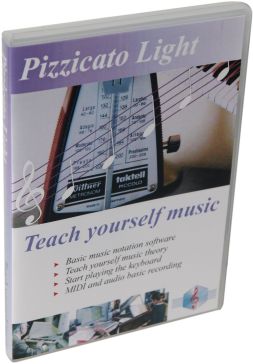
| Pizzicato
Light |

|
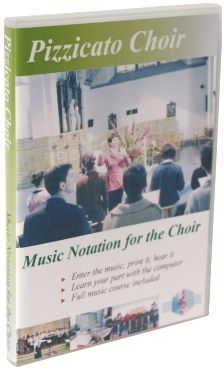
| Pizzicato
Choir |

|
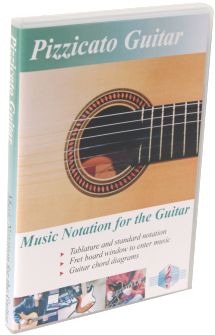
| Pizzicato
Guitar |

|
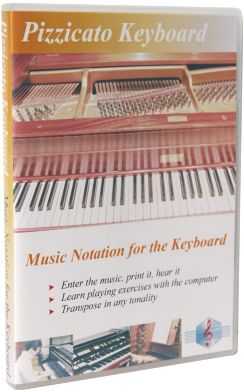
| Pizzicato
Keyboard |

|
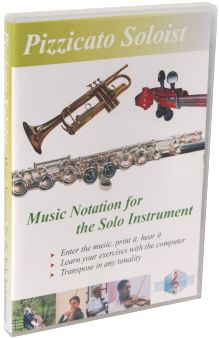
| Pizzicato
Soloist |

|
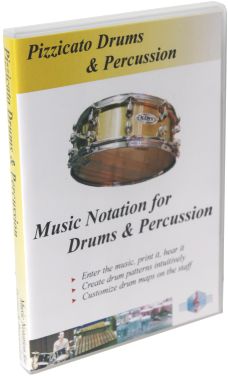
| Pizzicato
Drums and Percussion |

|
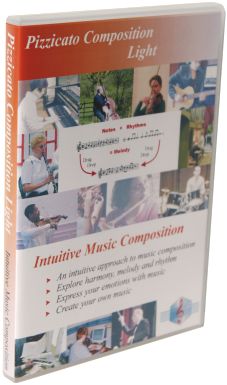
| Pizzicato
Composition Light |

|
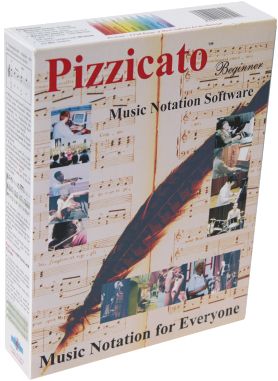
| Pizzicato
Beginner |

|
| Pizzicato
Notation |

|
| Pizzicato
Composition Pro |

|
| Pizzicato
Professional |

|
|