|
Arpege Music |

|
French | 
|
Europe (English) |













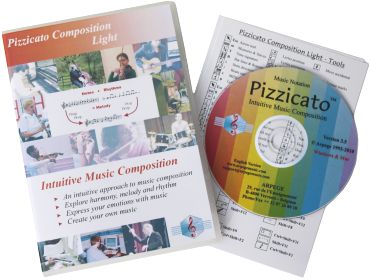
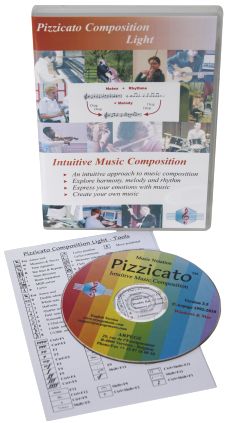
Pizzicato Composition Light
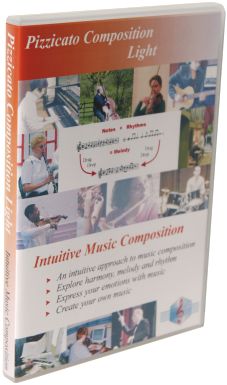 Pizzicato Composition Light introduces the concept of
intuitive music composition. This is where you can start exploring music
composition like never before, up to 8 staves.
Pizzicato Composition Light introduces the concept of
intuitive music composition. This is where you can start exploring music
composition like never before, up to 8 staves.
- You will find innovative tools to explore harmony, melody and rhythm, as well as to arrange your own music.
- Never seen before - Intuitive composition tools make music composition available to everyone.
- MIDI sequencing and effects.
- An extensive and easy to follow tutorial helps you mastering every aspect of Pizzicato.
- Pizzicato may be used as a stand-alone software or as a companion tool to any other music software.
Description
2 - Music Notation
- Entering music
- Fast entry of notes and chords
- Clef, key and time signatures
- Chords
- Other notation features
- Audio to Midi to Score conversion window
4 - Music composition and arrangement
- The musical desktop
- Melody - How can you find a melody?
- Harmony to melody
- Harmony - How do you find chords?
- Finding chords adapted to a melody
- Accompaniment
- The score arranger
5 - Your advantages - Why choosing Pizzicato?
User Manual and Tutorials
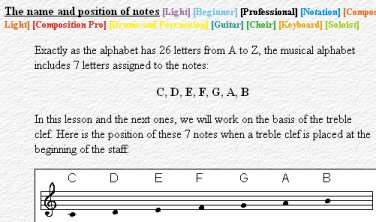 The detailed and progressive
tutorials help you to use the software.
The detailed and progressive
tutorials help you to use the software.
- Display the on-screen contextual help with a single key.
- The detailed music tutorial helps you to understand music notation or review music theory.
Music Notation
Even if Pizzicato Composition Light does not handle page layout and printing of scores, it provides you several tools to work your music composition on the basis of standard music notation.
You can export your composition as a MIDI file, an audio (wave) file or as a musicXML file, for instance to burn a CD or prepare the page layout and printing of the score with a notation software like Finale, Sibelius or Notion.
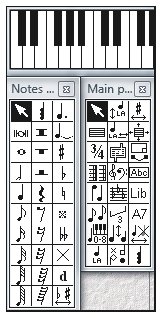 You can enter the music with
combination's of mouse clicks, tool palettes, keystrokes, the virtual
piano keyboard, the guitar fret board window, or directly through a MIDI
keyboard, step by step or in real time.
You can enter the music with
combination's of mouse clicks, tool palettes, keystrokes, the virtual
piano keyboard, the guitar fret board window, or directly through a MIDI
keyboard, step by step or in real time.
- The music notation is automatically spaced correctly. You can then zoom in and adjust any aspect of the music notation at any time.
- You can add accidentals, tuplets, chords as well as many other standard or custom symbols and hear their influence on the playback of the notes.
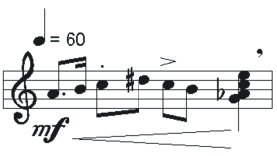
- Select measures and use the copy/paste function, for instance to duplicate measures or to transpose a melody without the need to rewrite it manually.
- You can use and manipulate up to 8 voices per measure.
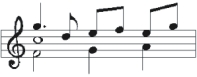
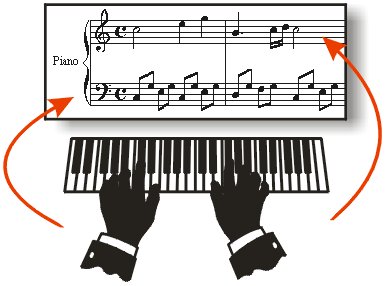 You can enter music by playing the notes in
real time at your tempo, on a music keyboard connected through a MIDI
interface (for instance MIDI/USB interface).
You can enter music by playing the notes in
real time at your tempo, on a music keyboard connected through a MIDI
interface (for instance MIDI/USB interface).
- Pizzicato displays the score and you can make any correction you want and split the left and right hands on two staves.
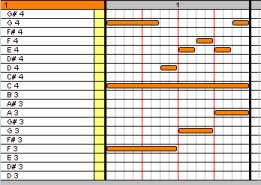
- You can edit the notes graphically as on a piano roll editor. Music notation is adapted accordingly on the staff.
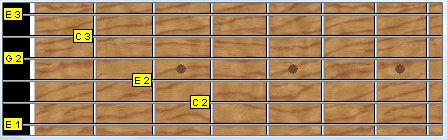
- Enter the notes with the help of a guitar fret board window, showing the name of the notes.
Fast entry of notes and chords
- Using this entry mode, you can select the rhythmic value of a note just by moving the mouse to the right for longer duration or to the left for shorter duration.
- You can encode simple music with only the mouse. There is no need to select tools on a palette or to use the keyboard.
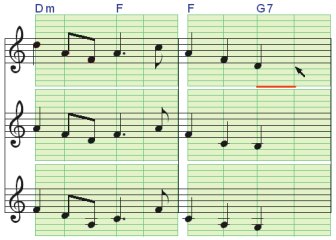
- A similar mode is used to enter the notes of an existing chord progression, on one or more staves. A simple but powerful note entry mode to translate chord symbols into real notes.
- You can use all clefs (G, F, C, percussion), standard or transposed (8). Change the clef anywhere in the score.
- Select the key signature (number of flats or sharps at the beginning of the staff) and change it anywhere in the score.
- You can transpose the score from one tone to another, just by changing the key signature or by selecting an interval.
- Specify the number of beats of the measure with the time signature (4/4, 3/4, 6/8,...) and change the time signature anywhere in the score.

- Create composite time signatures (3+4/8), advanced key signatures (mixing flats and sharps), free measures (with no time signature), multi-measure rests, and customize the measure appearance and content.

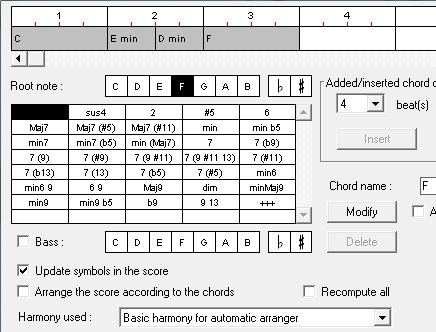
- Add chord symbols and convert them automatically to notes on the staff.
- Use the chord progression window to enter or edit the chords easily.
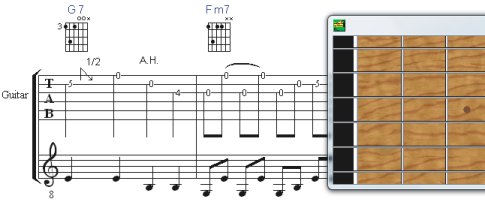
- You can enter the music with the mouse on a tablature or TAB staff or on a standard staff. You can display both staff and TAB or tablature and Pizzicato can convert from one to the other.
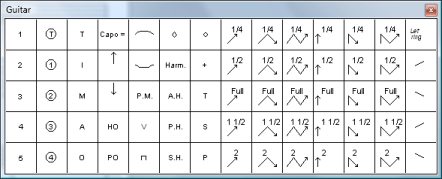
- A set of specific symbols for the guitar may be added to the score and they will affect the performance of the playback.
- Pizzicato provides all the tools needed for drums. Note heads, staves with 1 to 16 lines, the percussion clef and MIDI mapping of instruments are combined to create drum parts.
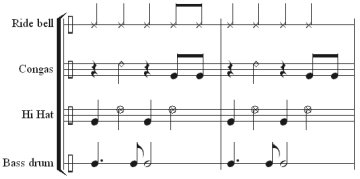

- Pizzicato will import MIDI files and can split the individual drum instruments so that you can easily edit the parts.
Audio to Midi to Score conversion
-
Pizzicato can now convert an audio file (WAV) into a score. Play a melody on a flute, guitar, piano,... through a microphone and Pizzicato can help you to transcribe it into music notation.
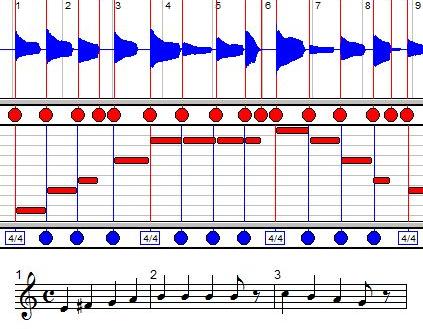
- The Audio/Midi/Score window helps you to adjust the conversion at each step and offers you several features, like for instance:
Adjusting the start of audio notes
Delete, edit and add notes manually
Adjust the measure and beat positions
Work on several voices and staves, based on different colors
Import a MIDI file or record freely in MIDI, without the metronome, and convert it to a nice sheet music by setting the measures and beats intuitively
Record in real time the starts of measures and intermediate beats, by clicking with the mouse
Listen at any time to the audio and/or score version of the music
Record an audio file in real time with a microphone
-
This new function also helps you to transcribe audio polyphonic files (several notes together), even if it is more delicate to work such files.
Playback of the score
- While entering or editing the notes, you can hear them.
- You can play the full score or any part of it, starting at any measure. You can even play a section in a loop and still continue to edit the score while Pizzicato is playing it.
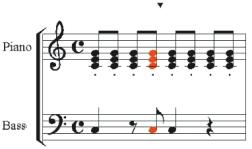 You can watch the notes colored as they are played.
- The playback takes into account the tempo, accents, nuances, and special effects.
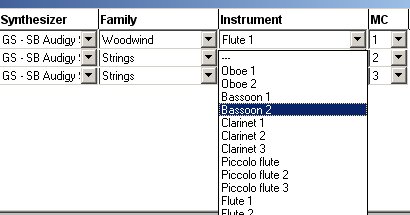
- Select the sound you want for each staff of the score.
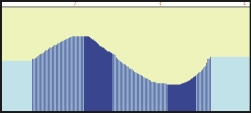
- Add sound effects by drawing a curve in the effects view, for instance to add the precise shape of a glissando or a crescendo.
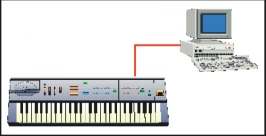
- If you have a MIDI synthesizer, you can connect it to the computer through a USB/MIDI interface and Pizzicato can play the score by using the sounds of your synthesizer.
- Select the sounds assigned to instruments on the staves by using the standard GM/GS/XG lists of sounds.
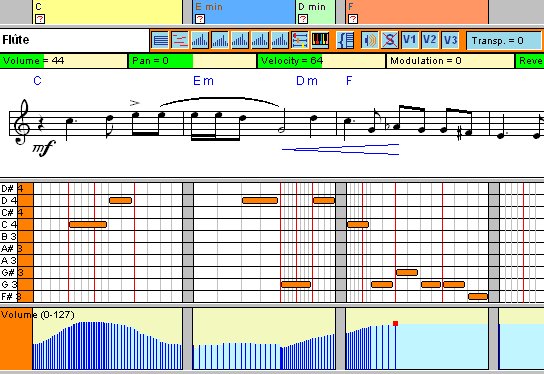
- This view is designed to provide you with the most advanced editing tools of Pizzicato, all in one window, for your convenience.
- You can edit the music notation directly, edit the notes graphically as on a piano roll, you can draw effect curves to create a customized crescendo and have access to most controllers and tools.
- You can synchronize audio tracks, select virtual instruments and edit the chord progression and associated scales.
- You can select the staves to display and for each one you can choose the editor(s) you need (notation, graphic, effects,...).
- A set of 10 memories can be used to store different configurations and switch between them as you work on different parts of your composition.
- You can add one audio track and synchronize it with the score.
- You can record an audio track to add an acoustic instrument, voices or sound effects.
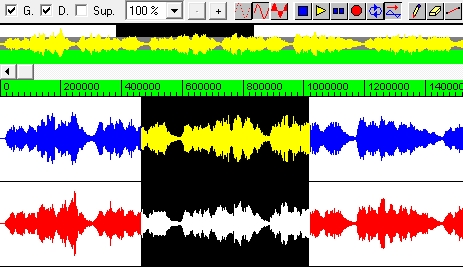
- With the audio editor window, you can directly edit audio tracks. Operations like copy, paste, mix, echo, fade in & out, insert, remove, time inversion, and many others are available to edit the sound itself.
- Pizzicato includes a licensed version of the PapelmediaTM Sound Library, with 1.2 GB of audio samples for a realistic sound rendering of your music. This library is not included with the demo version.
- You can assign these sounds to any staff or measure of your composition.
- You can create a standard MIDI file from any Pizzicato score and import MIDI files from the Internet or from any other music software and edit or print the score, up to 8 staves.
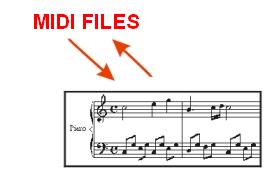
- You can also export MusicXML files to exchange music scores with other music software.
- Pizzicato offers you many tools not available anywhere else. Using these file formats to exchange information, you can use Pizzicato as a companion tool to many other music programs.
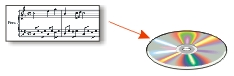
- You can create an audio WAV file from any Pizzicato score, using the full quality of the integrated sound library. You can create an audio file for the full composition and also a separate audio file for each instrument.
- You can use these audio files to create a CD with your music compositions.
Music Composition and Arrangement
Composing music consists of finding an idea and structuring this idea into a full music composition.
Pizzicato gives you a series of tools to find an idea and to develop this idea. It DOES NOT compose for you! You are the composer.
These tools help you explore musical possibilities with unmatched ease.
At every step of a music composition, you must make choices that will finally produce a unique composition.
With Pizzicato, you make these choices with various practical tools that help you to sort out the possibilities by listening.
Your choice is made according to your personal taste and to the atmosphere or the feelings you want your music to express.
These tools form an intuitive composition environment.
- Pizzicato offers you a musical desktop on which you can easily and efficiently organize a music composition.
- Drag your preferred instruments directly into the score, including percussion instruments.
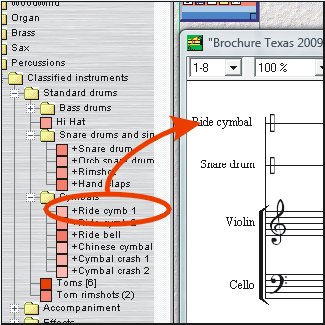
- One of the intuitive composition principles is to drag and drop scores made out of one or several measures to construct a full composition.
- Each score may contain melodies, chords, accompaniments, instruments or effects, any of which can be combined.
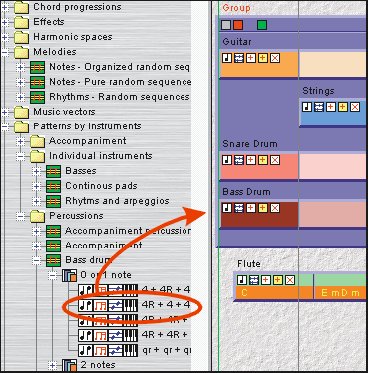
- Combine, play and edit these music building blocks and create the first structure of your musical composition.
- The result may be edited or customized in the score notation editor or in the graphic note editor.
Melody - How can you find a melody?
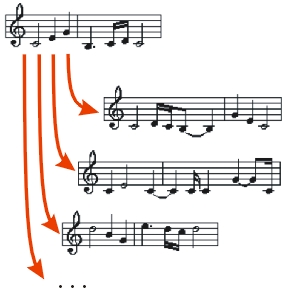
- By playing an instrument or singing, you can find a melody that may become the starting point of your composition.
- The Pizzicato libraries provide you with numerous note sequences and rhythm sequences that you can try and combine.
- The possible combination's are countless and will give you raw melodic material which you can adapt.
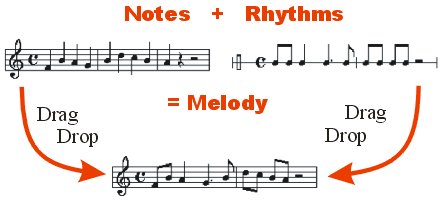
- Starting with an existing melodic idea, you can work out several variations, based on simple rules that you can control, again multiplying the possible choices.
- With an existing chord progression, you can intuitively design a melody.
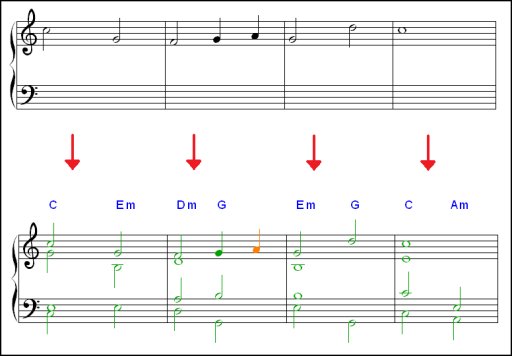
- Pizzicato can display the score so that the notes being part of the current chord are displayed in green, the notes of the associated scale are displayed in orange, and the other notes are displayed in red.
- With this system, green notes are the strongest notes for building the melody, orange notes may often be used as passage notes and red notes should be avoided, except for rapid chromatic passages.
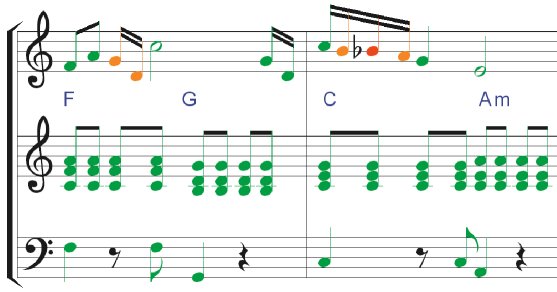
- It becomes easy to design a melody on a chord accompaniment, because the note colors help you to select the best notes.
- You can test and try many possibilities by moving the notes or changing the chords and seeing the note colors being adapted.
Harmony - How do you find chords?
- Pizzicato has thousands of prepared chord progressions that you can use and adapt according to your personal taste.
- Navigate inside several hundreds of harmonic spaces available to you in the Pizzicato music libraries and create chord progressions intuitively.
- Harmonic spaces consist of chords that can be sequenced harmoniously.
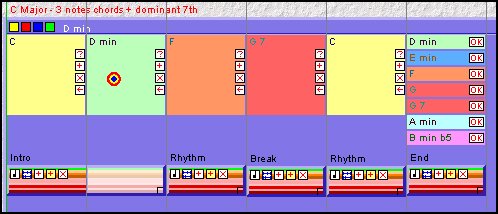
- Listen to your composition while selecting chords and hear your music being adapted to fit the chords you select.
Finding chords adapted to a melody
- If you have a melody, Pizzicato offers you a chord analysis to find possible chords that can match that melody.
- As there are often many possibilities, a multiple choice is suggested for each chord, and you can select the one you prefer by listening.
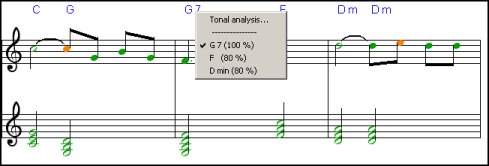
- This function also provides a way to deduce the chords symbols from an existing score.
- Use the many individual instrumental measures found in the Pizzicato music libraries. Combine them in a few clicks into your composition and hear the resulting accompaniment, including drums.
- Without being an expert, you can easily create and edit a drum pattern. You can use the standard notation or the visual piano roll editor. Pizzicato can play the pattern in a loop while you edit it, so you can intuitively modify it until you like it.
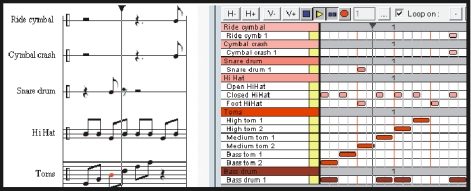
- Pizzicato also provides prepared styles and variations that you can drag in the score and combine into your composition.
- This function will adapt a musical structure to match the harmony (chord progression) of your music.
- By designing a simple structure of one measure, Pizzicato will adapt it to the harmony of your composition.
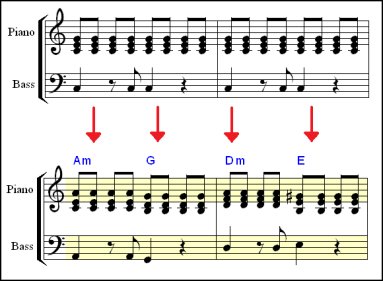
- The arranger works directly on the score. You can switch between the original and arranged versions.
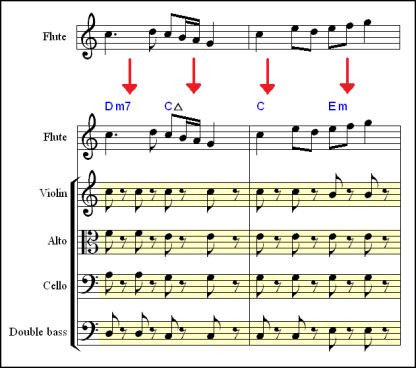
- When you find a melody, you can do a chord analysis and add prepared structures like a string quartet or add secondary voices with rhythmic preferences. Pizzicato will arrange the score to match the chords.
Your Advantages - Why Choosing Pizzicato?
- Whether you are a beginner or professional musician, Pizzicato offers you an easy and user-friendly approach to creating music with a computer.
- The music course and software tutorials do not require any music or computer knowledge. They are surprisingly simple to read and apply. It contains a full music theory course, with many examples that combine with the discovery of the tools to enter music. You can then directly apply what you learn in practice. With it, you will be able to understand music notation.
- The step by step tutorials show you how to write a score, with many examples. You learn how to use each tool so as to be efficient and save time.
- Pizzicato offers free and unlimited technical support through the Internet or email for any question you may have while installing or using Pizzicato.
- You can always email technical support from the editor of the software. This guarantees clear, efficient and customized answers within 24 hours during business days.
- A user forum, a database of frequently asked questions (FAQ) as well as many tutorial videos are also available through the Internet site 24/7.
- When you buy Pizzicato, you are entitled to receive two free major upgrades of the software, by download.
Get Pizzicato
Composition Light today
and enjoy its features
for your musical activities!


| Pizzicato Professional |
|
|
| Pizzicato Notation |
|
|
| Pizzicato Composition Pro |
|
|
| Pizzicato Beginner |
|
|
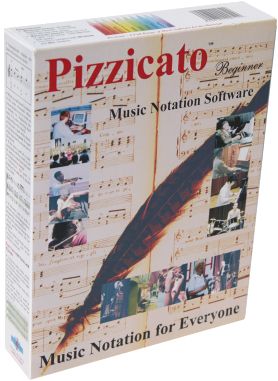
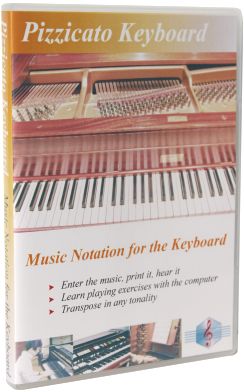
| Pizzicato Keyboard |
|
|
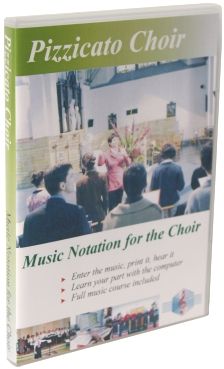
| Pizzicato Choir |
|
|
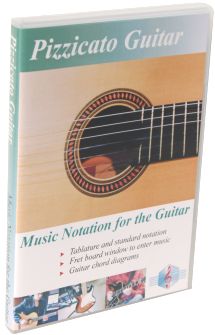
| Pizzicato Guitar |
|
|
| Pizzicato Soloist |
|
|
| Pizzicato Drums and Percussion |
|
|
| Pizzicato Composition Light |
|
|
| Pizzicato Light |
|
|
All rights reserved for all countries
Pizzicato is a trademark owned by Arpege sprl