|
Arpege Music |

|
French | 
|
Europe (English) |








Pizzicato - Print Your Sheet Music
A text processor (Word, OpenOffice,...) helps you to write letters and print them.
Pizzicato helps you to write and print your sheet music. Pizzicato is a music notation software. It is as simple as that.
Whether you start from:
- handwritten scores,
- exercises to copy,
- scores to transpose,
- or your own music ideas,...
... you will quickly be able to easily print your music on paper with a professional quality. You can listen to the result at any time and export it to an audio file (WAV) so as to burn a CD or to share it on the Internet.
You can do this at home, without preliminary knowledge of computers.
If you read these pages, you already have the main component: a computer (Mac or Windows).
Pizzicato will help you to put it all together to a CD and to a printed sheet music. You do not need anything else!
|
"Indeed, I use this program more and more and I find that it is terribly well done! It should be said that since its purchase, I have enjoyed this software very much, as well for its easy use as for its advanced functions. Well done for the follow-up and the evolution of this excellent software." Johann S. |
Using a computer keyboard, a text processor helps you to write letters.
Yes, but what about adding notes and rhythms on a score?
Good question...
Entering music
On the Pizzicato screen, you see an empty staff:
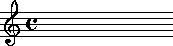
To add notes and rhythms, you use a graphic palette with the values of notes and rests, such as for example:

To add a note, click on the symbol and then click on the staff, at the desired position.
The note appears.
Pizzicato automatically adjusts the positions of the notes and with a few clicks you get:
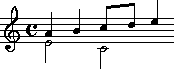
|
Warning : if you do not know |
Simple, isn't it?
Yes... but what about the clef, the key signature, the time signature,...?
You Decide!
Similarly to notes and rests, Pizzicato provides symbols to select the clef, the key signature and the time signature. With a few clicks, you get:
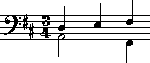
You may change the time signature, the key signature and the clef anywhere in the score.
You decide, Pizzicato draws!
|
"I thank you for the assistance you bring to musicians and other music lovers by the way of a complete and instructive program." Françoise B. |
All right. But there is better...
Customize The Measure
Do you want more space in the measure, or do you want to contract it?
Do you wish to modify the stems of some notes, lengthen them, switch them up or down?
Would you like to slightly displace two rhythmic voices in order to increase readability?
Do you need to beam or separate the note beams in an unusual way?
Do you need to reduce or modify a note head?
You can do all this with Pizzicato.
Easily and with a few clicks.
Here is an illustration:
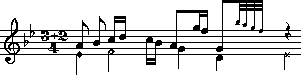
But what is still missing in this measure...?
Decorate The Measure
Nuances, accents, staccato, tempo, slurs, accidentals...
For each one of these, Pizzicato provides a graphic tool.
Here are some examples:

With the same facility, you will also be able to add:
- Text blocks, titles and comments,
- Measure numbers and page numbers,
- Up to 8 lines of lyrics automatically aligned under the notes,
- Chord symbols,
- Repeats and special bar lines,
- etc.
One picture is better than a thousand words...
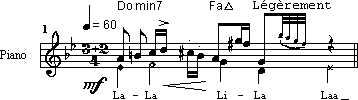
Fortunately, all measures are not so complex.
But this gives you an outline of the graphic and musical power at your disposal.
|
"I am very satisfied with your Pizzicato software. Many achievements were possible thanks to its flexibility and its simple and effective logics." Laurent Pigeolet - Professor at the Music Academy of Ottignies (Belgium) |
Create
and print your scores yourself.
Order Pizzicato now by clicking here!
So you know how to write a measure and to customize it in thousands of different ways.
But what about building a full score, with several instruments, many pages, staves and systems?
Yes, with Pizzicato, you also master this aspect.
How?
Master The Page Layout
What is page layout?
It is the control you have on:
- The number of measures per staff (it may be different for each staff)
- Spacing between staves and systems (a system is a set of staves played together)
- The number of staves or systems per page
- The Margins of the score
- The printing size (printing zoom)
Two powerful and simple Pizzicato dialog boxes help you to master these aspects and give you total control over the score.
|
"The Pizzicato software surprised me as well for its easy use as by the power of its functions." Marc L. |
Structure the measures as you want!
Ok. But before all this, how will you specify the number of instruments, the number of measures...?
Create The Score
To start a score, you can simply use the score creation assistant.
This dialog box asks you all essential information such as the number of measures, the number of instruments, clefs, transposition, key and time signature...
The assistant then creates a custom page layout and you can start to write your notes!
But you can also start from one of the numerous prepared templates (270) provided by Pizzicato for various instruments, groups and orchestras, with various page layouts.
You customize the number of measures you want and the score is ready!
As you now know how to structure a score and to fill in the measures, there is only one missing step...
Print The Score
And here it is!
Pizzicato prints your own score, clearly, with a professional quality. On your printer.
|
"I have much pleasure in legibly copying scores for our choir." Edmond S. |
And if the score contains several instruments, you can of course extract parts, i.e. print the individual scores for each member of your group or orchestra.
With Pizzicato, you will also be able to:
- Easily transpose one or more mesures: you specify the scale or transposition interval and Pizzicato transposes, including accidentals.
- Transcribe the chord symbols into notes on the staff
- Export a graphic image to your text processor (very practical to write a music course or handbook)
- Manage and write drums and percussion instruments (including the sound rendering, see further...)
- Work with the zoom on the screen
- Optimize orchestral scores (if an instrument plays solo during 50 measures, it is useless to print the 20 other empty staves on the conductor score)
- Copy/paste measures or repeated sections (the Ravel Bolero particularly appreciates this function...)
- And a lot of other things as well.
In short...
Edit And Publish Your Own Music With Pizzicato!
Imagine...
You have a new musical idea on a Sunday morning. Tomorrow, you play with your band.
Yes, this musical idea seems very promising! It would be absolutely fabulous if you could quickly put it in music, at least to have a first outline of it.
You write the theme with Pizzicato, you fill in the score, the chords. A second voice here, a nice bass there...
Later, your printer starts to work...
And the next day, you give the scores in a professional design to the musicians!
Or maybe you are a music teacher and it would be quite useful to create customized exercises for your students...
Or perhaps you are a composer and to register your compositions, you need to print them...
Or maybe you play in a choir or a band and you would simply like to create clean copies of the scores or transpose them...
... but you certainly think of other personal scenarios where Pizzicato could help you, because...
Pizzicato Was Designed Specifically For You
Pizzicato will quickly become your favourite companion and it will help you to emphasize your musical abilities.
It will give you the freedom to write your musical ideas on paper and to communicate them to others with a professional looking design.
|
"This program already allowed me to compose and transcribe a large number of pieces, and I think it is very complete and well conceived." Arnaud C. |
Discover Pizzicato now:
Publish
your own scores!
Order Pizzicato today
Click here. You will appreciate it!
In fact, there are still many things to discover about Pizzicato.
And not the least.
A sheet music is fine. But that is not the ultimate goal of music!
True, because music is another dimension. A dimension you expect, you appreciate...
Listen To The Score
Your multimedia PC or Mac contains everything Pizzicato needs to play the score.
Even without external music device.
Indeed, the sound cards of multimedia computers contain a musical synthesizer that Pizzicato will exploit to give you the sound result of the score.
All Pizzicato versions are delivered with a sound library of real instruments, to help improve the rendering of the music (please note that the demo versions do not include this library).
How can you specify the sounds you want, the volume of the instruments? How will Pizzicato transform the score into audible musical notes?
A specific window helps you to select the sound for each staff of the score.
Similarly, the adjustments of volume, balance, vibrato, tempo... give you full control over the sound produced.
By analyzing the content of each measure, Pizzicato will calculate the notes to play with the correct rhythms and will send the result to your sound card.
Conclusion: you listen to the score!
At any moment, simply hit the space bar of the computer keyboard and Pizzicato plays instantaneously the contents of the current measures.
Moreover, while you add or move the notes, you hear them immediately.
Very practical to check the cohesion of the score!
Or to test several possible choices in a measure.
Or to train yourself to correctly sing your music lessons.
Or to help you understand and play a difficult rhythm.
In short, the applications are numerous and you will be able to exploit them all.
However, a computer is said to be cold, mechanical and without emotion, which is against the heart of the musician, isn't it?
So how to make it play in a more human and expressive way ?
You Are The Conductor
What causes the expressive, emotional and human side of a musical performance?
It does not matter how you answer this question, the ultimate answer is... the human being himself!
Good, this is reassuring!
Your computer will therefore not replace your musical emotions.
To help you to fully assume your role (you are the conductor, do not forget it), Pizzicato will perform all the symbols you place on the score.
You add a double forte, a decrescendo, an accelerando?
Pizzicato performs them by playing loudly, by decreasing the volume and finally by accelerating.
You add an accent to a note, a staccato section or a legato?
Pizzicato accentuates the note, detaches it or ties it.
All this independently for each instrument.
Without any other action then adding these symbols on the score.
Pizzicato will also allow you:
- To play and perform the repeated sections
- To adapt the effect of each symbol (for example, the accent of this measure 3rd note must be a little stronger, or the crescendo must be more pronounced here...)
- To add a random aspect to the performance of the score, so as to make it more human (indeed, the human performer does not play with the precision of a computer, but this precisely makes music more pleasant and sensitive)
- To separately adjust the playing of each note to refine the precision of a musical effect (these 3 notes should be played a bit earlier, this other passage must be played as if the notes were slowing down...)
- To add various special effects (glissando, appoggiaturas,"swing" effect,...)
- To create new graphic symbols and to assign them sound effects integrated into the tool palettes.
All this on your multimedia computer.
Without external musical device.
You Orchestrate, Pizzicato Performs!
|
"Therefore, Pizzicato will let you write music, as on a sheet of paper. Here, the pencil is replaced by the mouse. Connected to a sound module, the computer will play the score, performing the nuances, the tempos wanted by the composer, without him doing anything else than writing them. It is a real musical home studio that the musician, professional or beginner, will discover without difficulty." Newspaper La Meuse |
But an important word is missing in this site...
What About MIDI ?
You probably already heard about MIDI.
This term is inseparable from music software.
It is the universally recognized language allowing computers, sound cards, software and synthesizers to communicate together.
Click here to learn more about MIDI...
Pizzicato uses the MIDI language to communicate with the sound card located in your computer and to make it perform your music.
As you perhaps noticed up to now, the technical knowledge of MIDI is not necessary to transform you into a conductor.
Indeed, you are first a musician and not a studio technician, are you ?
Pizzicato automatically handles most technical MIDI issues so that you can quietly concentrate on your musical creativity and score.
Note: if you like to handle MIDI yourself, Pizzicato will not disappoint you: you have direct access to all MIDI parameters!
And what if you have an external musical device (synthesizer, MIDI keyboard, electronic organ...)?
Connect A Music Keyboard To Pizzicato
If you have a musical synthesizer or a MIDI keyboard, or if you plan to buy one, you will be able to connect it to your computer and to exploit it with Pizzicato.
Click
here to know how to connect
your synthesizer to your computer...
Once your synthesizer is connected to Pizzicato, you will be able to use it in two ways.
The first way is to ask Pizzicato to play the score directly on your synthesizer. If you have a good quality device, sounds will probably be better than with a simple sound card. You will therefore gain in realism and sound effects.
The second way is so important that it deserves a special section...
Enter The Notes Directly From The Music Keyboard
Yes, you can play a melody on a music keyboard, and Pizzicato will transcribe it into notes on the screen.
Pizzicato plays one measure free with a metronome and then you play your melody following the rhythm given by the metronome. Pizzicato transcribes it in music notation. You can do it at the tempo of your choice, as slow as needed.
Then you can use all the tools previously explained to correct, adjust or modify the notes and rests, add nuances, etc.
If you do not yet master the music keyboard, you can also use the introduction of notes step by step. It is a fast and precise method.
A cursor is blinking in the measure where you fill in the notes (the MIDI cursor):
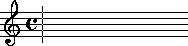
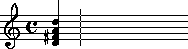
Hold a chord (or a simple note) on the music keyboard and press for example on the "3" key of the computer keyboard. The chord appears on the staff, with a rhythmic value of a quarter note (code "3"):
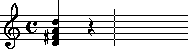
Press on "3" again, without holding a music keyboard note and the equivalent rest value appears (quarter rest):
Easy, isn't it?
|
"I have been a relentless user of Pizzicato since 1996. I think that this software is very performing and above all it meets the needs of professional musicians." Alain Pierre – Guitarist and composer |
Create
your own music and arrangements.
Order Pizzicato today
Click here, you will appreciate it!
Any hesitations?
You wonder if you will be able to use Pizzicato?
You wonder if all advantages presented here are really accessible to everyone, even whithout computer knowledge?
And what if you have problems after buying Pizzicato? Who will help you?
You probably asks yourself what is the price of Pizzicato. If Pizzicato has all the above functions, it surely must be quite expensive...
Do not worry.
You Will Easily Use Pizzicato
This is frequently mentioned in the comments spontaneously received from users.
|
"I personally want to congratulate you for the beautiful program you conceived, namely Pizzicato. It directly appealed to me by its simplicity of use and its possibilities " Bruno R. |
Why is Pizzicato unanimously recognized as a program easy to use?
Because before even creating Pizzicato the first purpose has always been:
To make music
accessible to everyone and
to bring users to
more musical creativity
On the basis of many opinions and comments from people who, just like you, wished to approach or look further into music software, Pizzicato was conceived in this state of mind from the beginning.
We have understood the basic rule that many of our competitors did not yet understood:
Musician does not always
rhyme
with computer specialist or technician
Therefore, the instruction manual has been the subject of a considerable work to make all aspects of computer assisted music understandable to everyone, even (s)he who:
- has no musical knowledge
- has no experience in computer and software
|
"I am extremely satisfied with your software which is really powerful. Your manual is very well-designed, even for ignorant in computers like me. Indeed, up to now I had never had the opportunity to touch a computer." Sister Marcelle |
The instruction manual of Pizzicato literally takes you by the hand and guides you step by step in the discovery of Pizzicato.
It is a sequence of lessons, each lesson explaining in full details an aspect of Pizzicato.
Including practical and illustrated examples, Pizzicato suggests that you execute each example yourself, step by step, in a didactic way.
| "I've been through many tutorials
before—but for my point of view this has got to be one of the
best-written ones I've ever seen ! It explains everything in an
easy to understand step-by-step description-- and I love the
examples. There is enough repetition that you really master the
concepts, and yet it moves quickly."
Judy Z. – United States |
Conclusion:
If you can
read and understand English,
you will be able
to use Pizzicato
It is as simple as that.
Now, if you master computers and/or music, the way in which the manual is designed will allow you to ignore all useless lessons and go directly to the essential.
|
"The very detailed instruction manual guides the apprentice musician step by step to learn music and computer at the same time. But if you are already acquainted to it, if music does not have secrets any secrets any more for you and if your goal is to write or hear your scores (Gregorian to contemporary, classical to hard rock), the design of the important manual allows everybody to navigate throught it according to his/her needs, from the beginner to the professional." Crescendo |
The full manual is accessible on the screen; the paper manual, according to the version, contains the main lessons. All lessons may be printed if you want.
Ok. But...
What If You Have Questions After Buying Pizzicato?
Who is going to help you?
As your satisfaction is our first goal, we provide you access to the technical support of Pizzicato.
Most questions are answered within 24 hours during business days and you receive a customized answer to your specific request.
As many times as needed.
And this without any time limit.
If we can guarantee this service to you, it is because Pizzicato is a user-friendly and easy to use program.
If Pizzicato would have been complex and difficult to use, our support department would be overloaded and we could not offer you such a service.
|
"Congratulations for the quality and the presentation of your wonderful product. I am very satisfied to have chosen Pizzicato. Never did I receive such a fast response with a clear and full explanation." Willi M. |
Do you want to test us?
Send us your question by clicking on our email address:
What Is The Price Of Pizzicato?
Pizzicato exists in various versions, depending on the functions you want. Prices goes from about $US 20 to $US 450.
For music notation, the following versions are suggested, according to your needs and your budget:
-
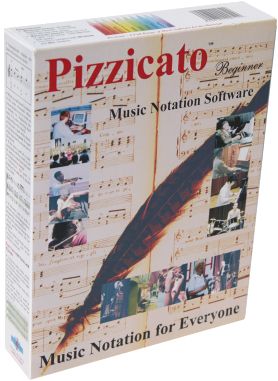
Pizzicato Beginner is a general purpose score editor, that contains most of the tools you need to write, print and listen to music scores for the choir, solo instrument or small orchestras up to 16 instruments playing together.
-
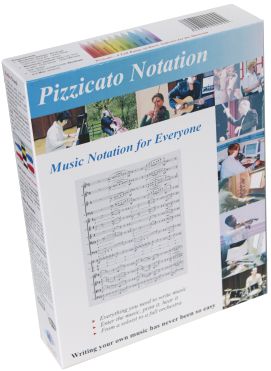
Pizzicato Notation is a full score editor that offers you all the notation features found in any other Pizzicato versions. It contains all the tools you need to write, print and listen to music scores, from the soloist to the full orchestra.
-
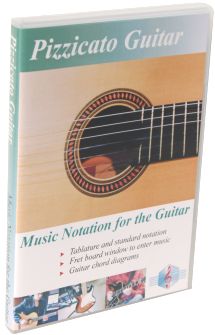
Pizzicato Guitar contains all the tools you need to write sheet music for the guitar or other fretted instruments like the banjo, the bass, etc. You can use a tablature or TAB, or a standard staff. A guitar fret board window helps you entering the notes and you can create chord diagrams.
-
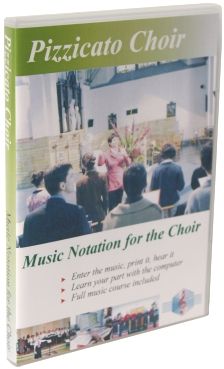
Pizzicato Choir helps you write and print nice sheet music for the choir. Learn to sing your voice while Pizzicato plays the other voices. Increase your knowledge of music theory with the full music course included.
-
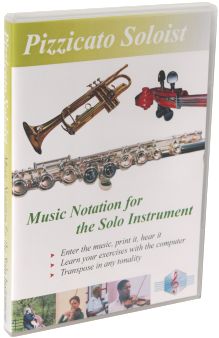
Pizzicato Soloist contains all the tools you need to write music for a solo instrument. You can print nice solo sheet music, whether for the brass, woodwind, string instruments or any solo instrument written on one staff.
-
Pizzicato Drums and Percussion is specifically designed for music notation of drums and percussion instruments. You can use up to 8 staves, each one with 1 up to 16 lines to which you can assign a percussion or drum instrument.
-
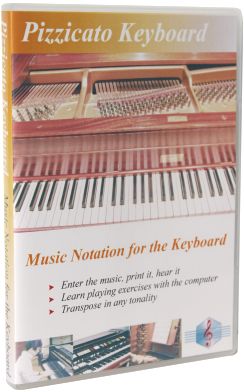
Pizzicato Keyboard contains all the tools you need to write music for keyboard instruments like the piano, the organ or the synthesizer, with up to 4 staves.
-
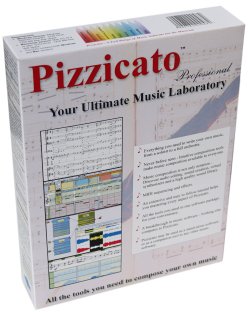
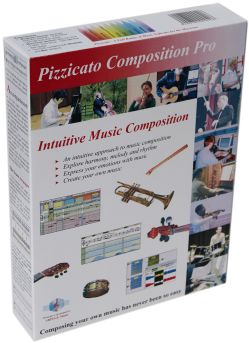
Pizzicato Professional contains every notation function as well as several tools to help you compose music. You can use all the features for music notation as well as all the tools for intuitive music composition and combine them in the same software.
Each version has features adapted to specific types of music work. You can see the table of all features and compare the different versions on page:
Click here to see the list of differences...
If you order a package version, you will receive your software by post mail, with the user manual and DVD. If you select the cheaper electronic (downloadable) version, you get the software with the same functions but you download it from the Internet, as well as the user manual.
Pizzicato offers one of the best quality/price ratio on the market.
But you should of course not believe us because we say so...
What distinguishes Pizzicato from its competitors is the combination of:
- A really powerful software, allowing you to write music scores easily
- A particularly user-friendly and natural approach to music notation
- A didactic approach, accessible to everyone: you do not need to be an expert in computers to use it
- A direct contact with the software publisher: you can make the product evolve according to your comments. We have been listening to you since 1992.
- Functions which innovate and make music software evolve.
Pizzicato has been designed for you.
Order Pizzicato now, you will be able to contemplate and listen to your first scores very soon!
Click here to order Pizzicato now
Summary
If you have read this page in full, you have now a quite precise outline of what Pizzicato may help you to do for music notation.
It is not accidental. It is the result of 18 years invested in research and development of tools adapted to the needs of musicians, for both beginners and professionals.
It is a lot of musical power at your disposal.
It is up to you to decide if you want to use it.
|
"Congratulations and thanks for giving us a very good working tool which has already been of great help to me and will continue to be, I am sure. What is the most interesting is to bel able to directly communicate with the publisher of Pizzicato." Laurent Haye - Music teacher |
Make the step!
Order Pizzicato today by clicking here
Welcome in the
Pizzicato user's community !

All right. You want more?
Yes, it is true that Pizzicato has other functions we have not explained yet.
They relate to another subject: music composition.
How can Pizzicato help you to compose music?
Discover it by clicking here...

| Pizzicato Professional |
|
|
| Pizzicato Notation |
|
|
| Pizzicato Composition Pro |
|
|
| Pizzicato Beginner |
|
|
| Pizzicato Keyboard |
|
|
| Pizzicato Choir |
|
|
| Pizzicato Guitar |
|
|
| Pizzicato Soloist |
|
|
| Pizzicato Drums and Percussion |
|
|
| Pizzicato Composition Light |
|
|
| Pizzicato Light |
|
|
All rights reserved for all countries
Pizzicato is a trademark owned by Arpege sprl