|
Arpege Music |

|
French | 
|
Europe (English) |












How Can Pizzicato Help You To Compose Music?
First of all, what does "music composition help" mean?
It means a series of tools that will help you to compose your music and to explore and structure your musical ideas. The main difference between music notation tools and music composition tools is that the music composition tools will help you to answer the questions of what rhythms, what notes, what chords you will be using to create your music. These tools will help you to arrange, organize, develop and apply your music ideas into a full score.
It does NOT mean that the computer composes music all by itself.
These tools propose, advise, arrange or add notes, chords, rhythms and help you in your creative work.
But the conductor who controls this is always...
...YOU of course!
Different modules are at your disposal to freely explore harmony, melody and rhythm.
See the full article on the subject...
Music Composition Libraries: A Musical Construction Set
The main tools of Pizzicato regarding music composition are built on the principle that you may break down music into basic construction blocks made of:
- Rhythms
- Melodies
- Chords
- Themes (= rhythm + melody combined)
You can create new construction blocks and assemble them in thousands ways to structure your score.
All this is done in music notation, interactively with all the tools explained in the music notation part of this site.
|
"In the field of composition, the range of software tools seems to me very reduced. Congratulation to have tried to fill this vacuum. Also for the documentation which is remarkable." Albert G. |
A series of structures and libraries of rhythms, melodies and chords are given. You can modify them, create new ones, combine them and handle them as you want to create systematic accompaniments, musical structures, etc.
Prepared musical styles in light music are also proposed. You can modify them, analyze them, apply them and adapt them as you like to quickly get a light music accompaniment. You can also import Yamaha styles (.sty extension).

Teach Yourself How To Compose Music
Going hand in hand with this composition help system, Pizzicato contains several lessons allowing you to better manage and sequence your chords as well as to structure your music.
If you never dared compose music, a series of progressive exercises will help you to take your first steps in music creation.
Yes, you can learn how to compose!
Even if you do not have ten years of musical background behind you.
Because if you are motivated and if you really feel the desire to express yourself through music, the composition lessons will inevitably bring you a better knowledge in this field.
|
"Pizzicato is already a splendid companion, it can become it more. You have to estimate, but no well known has up to now really approached (or dared to approach...) composition. To you goes the merit of the originality in the design." Andre V. |
Helping You To Find The Chords
Pizzicato can help you to select chords, thanks to its chords analysis tool.
When you write a melody, Pizzicato analyses it and suggests you the chords that would accompany it.
Listen to the result. Then modify, select, change and test.
Pizzicato delivers you many choices and you decide the one you prefer, the one that best reflects the atmosphere you want to communicate through your music.
Smart Links
The smart link lets you take rhythmic values found somewhere in a score, melodic values found anywhere else in the score, chords in even another set of measures and combine them all into one or more measures.
It is like a mixer you can feed with rhythms, melodies and chords. The resulting music is a set of measures called computed measures.
The important point to understand with a smart link is that the original source of rhythms, melodies and chords stay connected to the resulting computed measures. A change in any one of the source components may affect the computed measures. It is like a spreadsheet: a cell may be recomputed when another cell - to which it is related - is modified. Let us explain this with some examples.
With a smart link, you can for example (colored measures are computed measures):
- Reverse a melody:

- Speed up a melody:

- Add a transposed second voice to a melody:
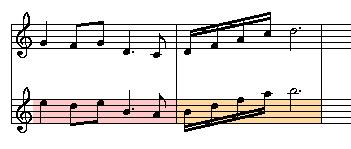
- Create a random melody from some specified rhythms and notes:
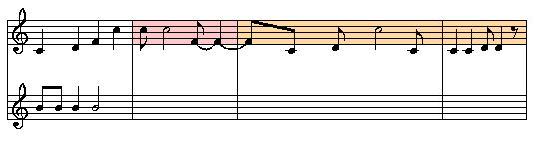
- Create a mirrored melody:
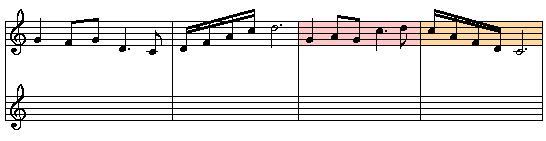
You may also arrange melodies on chords or combine the above examples in different ways. Every parameter may be customized.
When you modify the original melody, the computed melodies automatically adapt themselves, even if there are 25 copies of it in a full orchestral score. This lets you do experimental work on a score, with a result that you can hear right away.
The Conductor View And The Score Groups
The conductor view has been designed to be your music composition desktop. As you may have several scores in a music document, there must be a tool to organize and manage them and to play them easily and in many combinations.
The conductor view lets you view and handle scores (whether single measure scores or full orchestral scores):
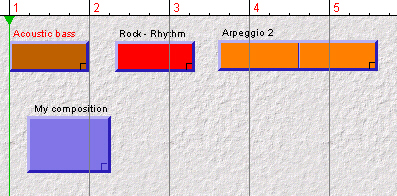
Then you may assemble them in a scores group to play them simultaneously and create an arrangement:
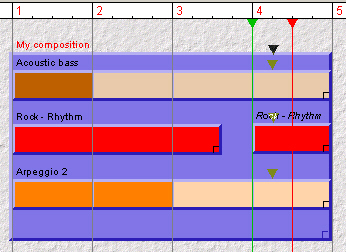
In this view, you can:
- Create and assemble new scores
- Create "aliases", i.e. exact copies or smart links copies based on other scores
- Slow down or speed up the rhythmic play
- Looping a time section when you work on it
- Edit the scores directly in music notation by calling the score editor with a double-click
This window is a sophisticated arranger, because you can also add chord progressions so as to influence all scores and harmonize them together.
Instruments Selection
The conductor view includes a section which presents instruments and prepared sections that you just need to drag in the main area to create a ready to use score or to add a new instrument to an existing score:
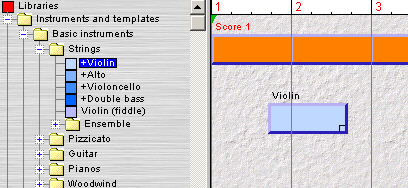
A color system based on the main instrument families helps you to quickly identify parts in the score you are manipulating. Clefs and characteristics of the instruments (left-right position in the orchestra, range, MIDI parameters,...) are injected into the score from the instruments data base:
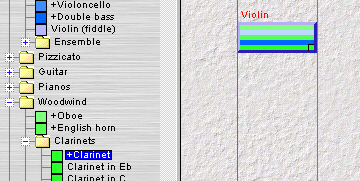
It is now the fastest way to create a score template: you drag instruments one by one in the order you want them. You can of course modify or add personal instruments and full prepared sections.
Virtual Keyboards
The purpose of a virtual keyboard is to expand the playing possibilities of a single musical keyboard and to make it possible to play several instruments with only one keyboard. This principle is common in most synthesizers and is often called a performance. It is a preset of various sounds programmed on the keyboard and that may be used together in a performance.
On the screen you see a keyboard with different colored sections. You can simply drag an instrument of the data base in a keyboard area and adjust its range as needed:
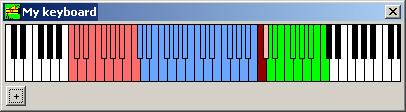
The simple fact of playing on a keyboard connected to your computer (or clicking on this keyboard on the screen) will send the notes to the right instruments of your MIDI card or external synthetiser. For every instrument area, you can define a lot of parameters, for example:
- The volume, reverberation and effect levels
- You may define a velocity curve, i.e. how the key hitting force will influence the sound
- A transposition
- The maximum polyphony (for example : limit the bass area to one note at a time and no more)
- The hold mode is used to play a chord in an area and the chord is hold until you play another chord in this area and your hands are free to play in other areas.
- Instrument superposition, so that one key may for example play 3 different instruments all at once (some being transposed for example)
With the virtual keyboards, your simple MIDI keyboard lets you perform a real time performance on several instruments, including drums.
The Music Libraries
The music libraries available in the conductor view are composed of various sets of different instruments. Instead of having a series of rock, samba, slow, reggae or other rhythmic patterns, you have each drum instrument (cymbals, toms,...) but also various basses and accompaniment instruments.
For each one, the library includes various patterns of one or more measures. The number of combinations is nearly unlimited and you can add new blocks to it (a block is simply a score).
These construction blocks can be used in the conductor view, as explained above, to construct your rhythmic sequences using multiple choice for every instrument:
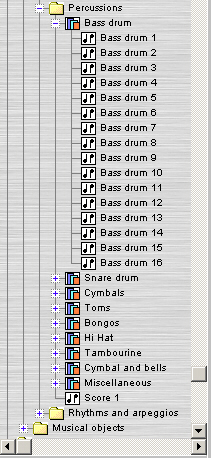
You just need to drag them in a score group and to graphically position them while listening to the result as your work progresses:
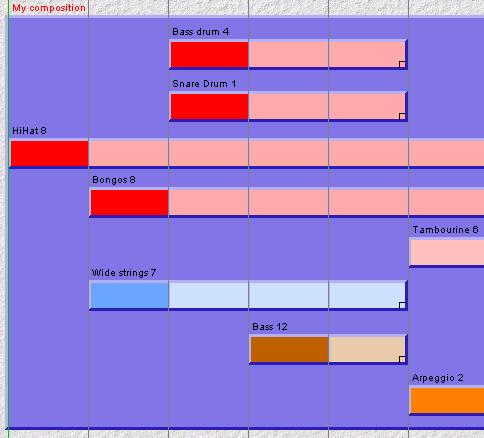
All the possibilities explained above may be combined with the music libraries.
Summary
If you have read all these pages, you have now a quite precise outline on how Pizzicato can help you to create music.
It is not incidental. It is the result of 18 years invested in research and development of tools adapted to the needs of musicians, for both beginners and professionals.
It is a lot of musical power at your fingertips.
It is up to you to decide if you want to use it fully.
|
"Congratulations and thanks for giving us a very good working tool which has already been of great help to me and will continue to be, I am sure. What is the most interesting is to be able to directly communicate with the publisher of Pizzicato." Laurent Haye - Music teacher |
Make the step!
Order Pizzicato today by clicking here
Welcome in the
Pizzicato user's community !


| Pizzicato Professional |
|
|
| Pizzicato Notation |
|
|
| Pizzicato Composition Pro |
|
|
| Pizzicato Beginner |
|
|
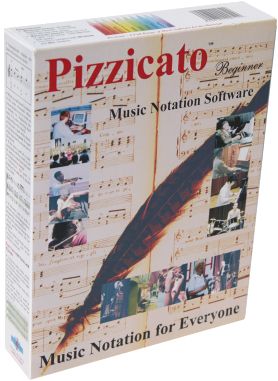
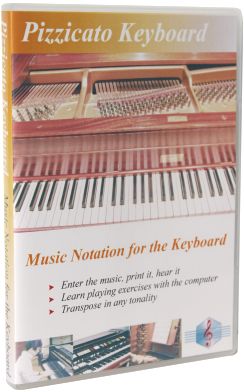
| Pizzicato Keyboard |
|
|
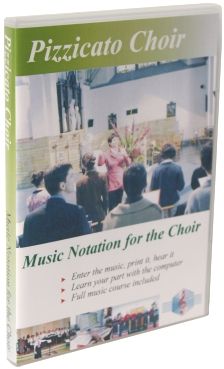
| Pizzicato Choir |
|
|
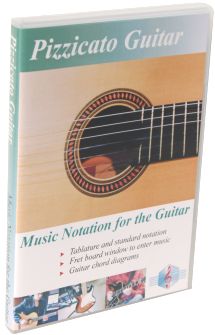
| Pizzicato Guitar |
|
|
| Pizzicato Soloist |
|
|
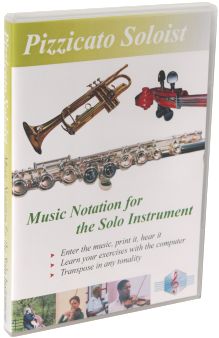
| Pizzicato Drums and Percussion |
|
|
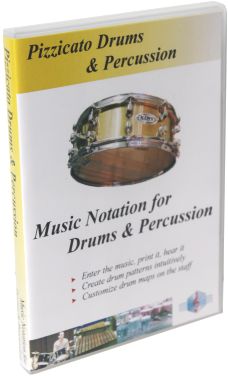
| Pizzicato Composition Light |
|
|
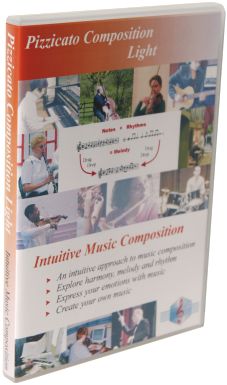
| Pizzicato Light |
|
|
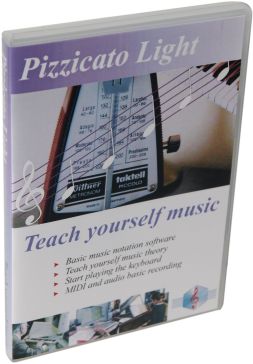
All rights reserved for all countries
Pizzicato is a trademark owned by Arpege sprl