|
![]() ![]() ![]() ![]() ![]() ![]() ![]() ![]() |
![]() ![]() ![]() ![]() ![]() ![]() ![]() ![]() ![]() ![]() ![]()
New!
|
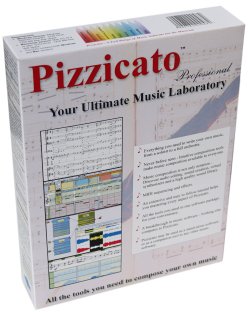
Scan and modify your musicWith SharpEye, you can scan your music and transfer it in Pizzicato to modify it, transpose it, listen to it, arrange it or print it. You may download the SharpEye software at: Once installed, this software may be used freely during one month. You can test it even with Pizzicato demo, scan your music and import it in Pizzicato. SharpEye only works on Windows. For Mac users, there is another software, of which a Mac OS X is expected soon. See the editor's site at: The various steps
The above procedure explains the main points. The quality of recognition of music symbols may not be perfect and according to the complexity of the score, there will be some little errors to correct. But in general, the time saved as opposed to writing all the notes yourself is quite important. For more information, see the Pizzicato lesson on using NIFF files at http://www.arpegemusic.com/manual30/EN561.htm NIFF or MIDI files ? Only Pizzicato Professional 3 imports NIFF files. Those files contain not only the notes, but also several symbols and the page setup of the original score. If you use Pizzicato Pro 2 or Beginner 2 or 3, you may however also import scanned sheets of music from SharpEye (or SmartScore), but you must then use a MIDI file to do the transfer. The MIDI file contains all the notes but not the way in which the measures are assembled in a page. Use the same procedure as above, but replace NIFF by MIDI. The time saved is still an advantage, because the notes are written. Summary With the combination of SharpEye (or SmartScore) and Pizzicato, you may scan your sheets of music, modify them and listen to them. ==> Get SharpEye! Order SharpEye today by clicking here
|
|
© Copyright 2000-2008 -
Arpege sprl |